One app. Five people. Five completely different jobs.
The GreenLane Golf mobile app is in pilot on iPhone and Android, and not yet on general release. What it becomes when you sign in depends on who you are: staff, member, caddie, visitor or till operator.
30-minute walkthrough on a working demo club. A written quote follows.
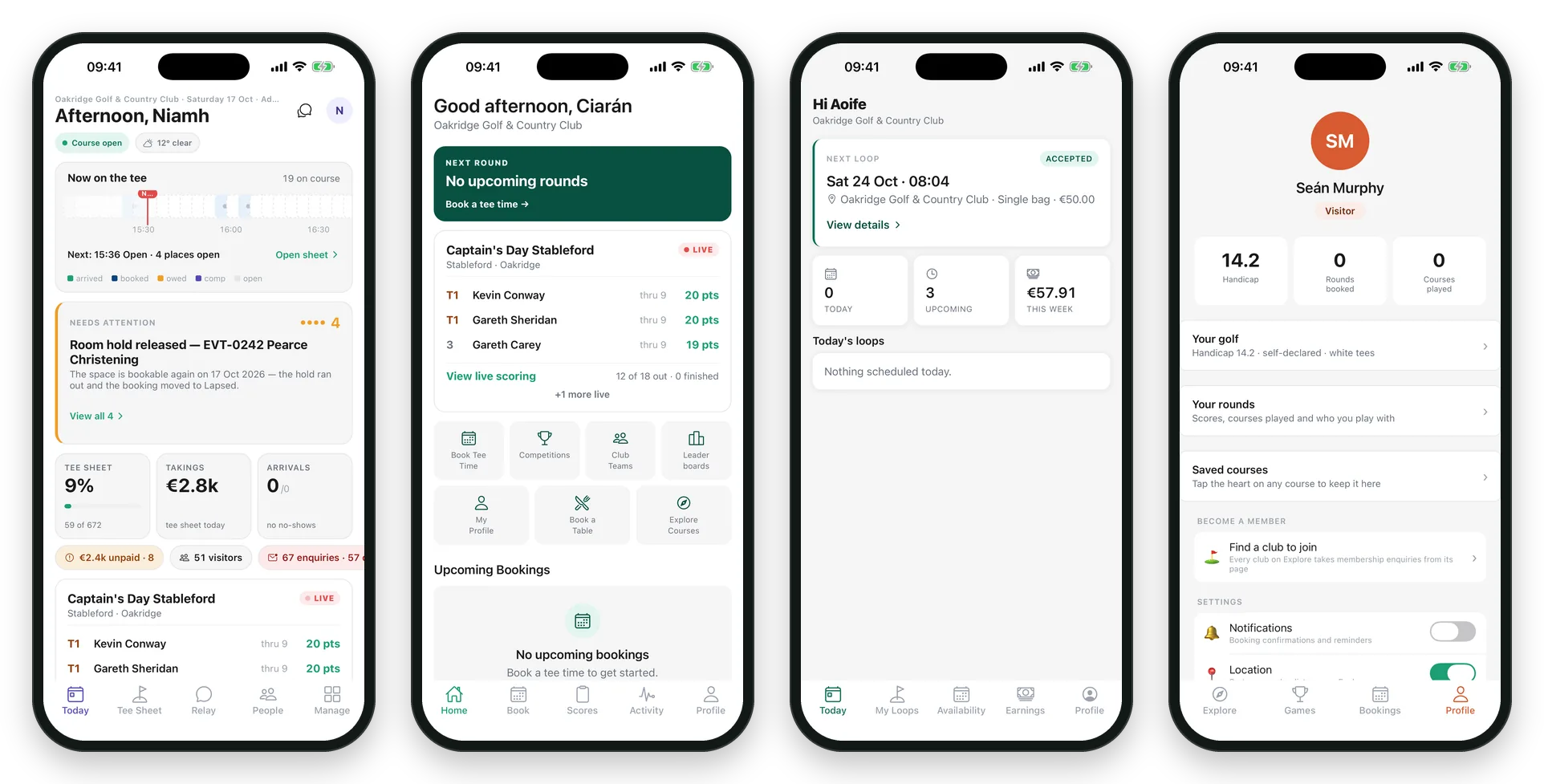
Screen capture from the app — The same app at a demo club, signed in four different ways. The tab bar is the giveaway: staff get Today, Tee Sheet, Relay, People and Manage; members get Home, Book, Scores, Activity and Profile; a caddie gets Today, My Loops, Availability, Earnings and Profile; a visitor gets Explore, Games, Bookings and Profile. Staff open on today's tee sheet, takings and what needs attention; the member on booking a round and the live competition; the caddie on their next loop and this week's earnings; the visitor on their own GreenLane Golf profile, which is not a login at the club.
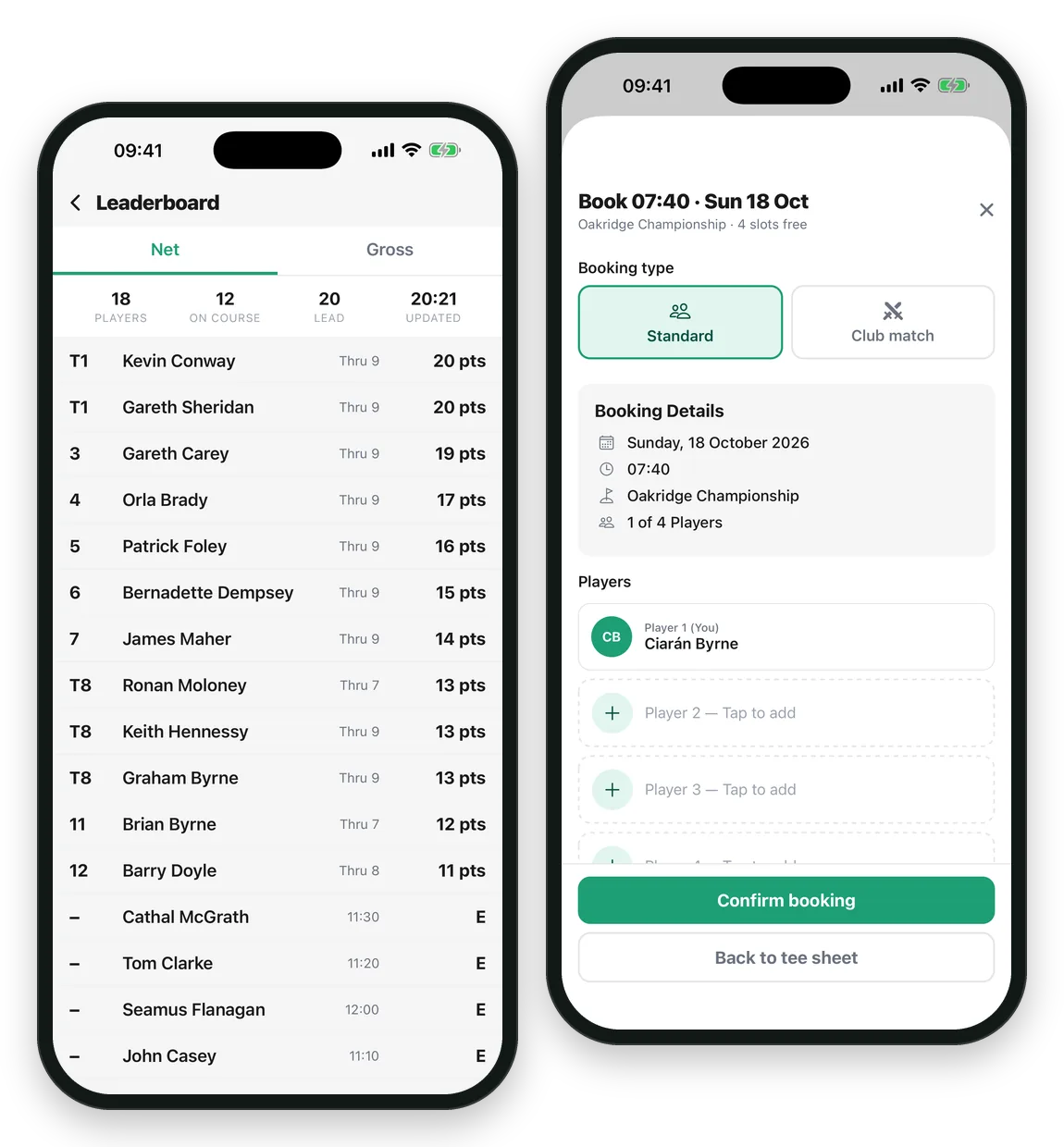
Screen capture from the app — Inside the member context: the live leaderboard for a Stableford competition, net and gross, with scores coming in over the front nine and later starters still to tee off, and booking a tee time as a standard round or a club match, with the member as player one and three places to fill.
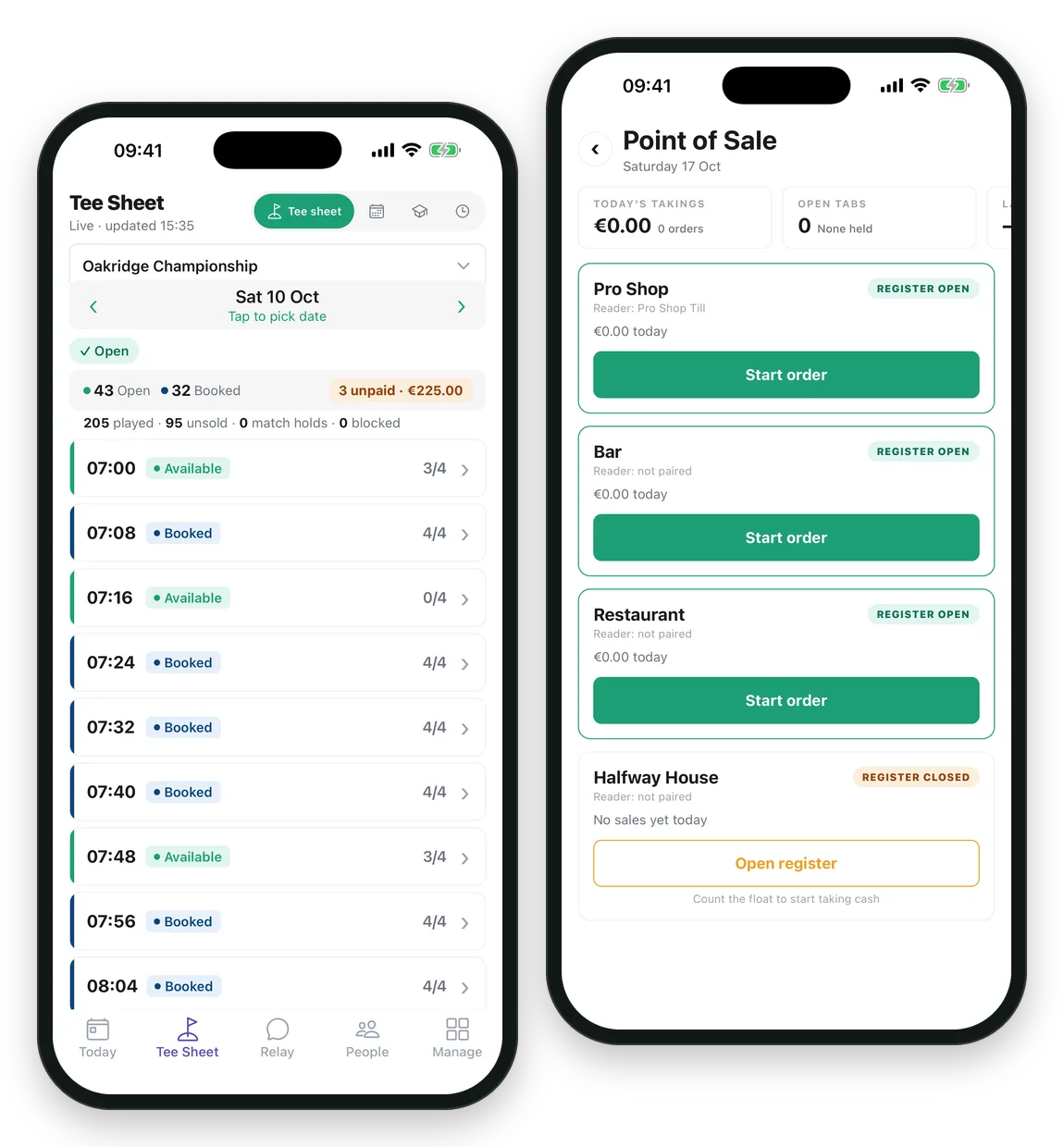
Screen capture from the app — Inside the staff context: Saturday's tee sheet for the Championship course, booked and available times with the unpaid total flagged at the top, and point of sale, with the Pro Shop, Bar and Restaurant registers open and the Halfway House register still to open.
In the product today
- One app, one login. What each person sees comes from their own record when they sign in, so nobody picks a persona and nobody ends up with the wrong app.
- Staff see an operational surface, not a shrunken admin console. Today’s numbers, the tee sheet at a glance, check-in, quick refunds, course status and Relay
- Staff access is scoped by job. The staff type set in User Management decides whether someone sees revenue figures, Golf Settings, competition admin or the till — a bar manager and a club manager get different apps from the same build
- Members get the membership benefit. Booking under their own rules, competitions and live scoring, Club Teams, wallet, lessons and bays, caddie requests, and course status by push
- Caddies get Loop. Today’s loops, offers to accept or decline, broadcast loops on a first-to-claim basis, their own availability, and their earnings
- Visitors get their own account, not a club login. A golfer signs up to GreenLane Golf itself, then browses and books courses, driving ranges, simulators and lessons across every venue that publishes availability. They are not a member of anywhere, and booking on a club’s own website still needs no account at all
- The till travels. A dedicated till context, with card payments at the till, for the bar, the halfway house and the drinks cart. Least privilege: till and activity only
- Two clubs, one login. Members of more than one GreenLane club switch between them without signing out
- Games, in every context. Members and visitors alike start, score and share a game from the same app
- The buggy fleet from the first tee. Check-out, return and what is still out, on a phone
- Course banners managed from the app, not only from a desk
The question every GM asks in the first ten minutes
For example, take the question a manager asks first about any golf app: is this another icon our members won't open? Clubs have been sold separate apps for booking, for scoring and for handicaps, and each one is another thing to explain to the membership.
There is one app. A member installs it and gets a member app. A greenkeeper installs the same thing and gets today’s operational view and the course status control. The caddie master’s caddies get Loop. A visitor signs up to GreenLane Golf rather than to any one club, and gets a booking surface spanning every venue that publishes availability. And the bar staff running the halfway house get a till that takes card payments and nothing else — because a till operator has no business seeing your revenue figures.
What decides all of that is the person’s own record and, for staff, the job-based staff type you set when you invite them. Change someone from bar staff to club manager on the web and their app changes the next time they open it. Nobody reinstalls anything.
One thing worth being precise about, because clubs ask: the visitor context needs an account, but it is a GreenLane Golf account rather than a login at your club. That golfer is not a member of anywhere and is not on your membership roll. They belong to GreenLane Golf, and when they book with you we share that booking and the details you need to host them. Anyone booking through your own website is a different matter entirely — no account, and the record is yours.
Games on the app
Golfers can run their own games and side games from the app, in twelve formats. Guests are added by name and don't need an account.
- Twelve formats. Including Stableford, stroke play, match play, betterball, foursomes and scramble, with handicap allowances and countback.
- One phone for the group. Anyone in the game can enter scores for everyone.
- Teams drawn fairly. The draw spreads players by playing handicap, so one side doesn't collect every good golfer.
- Side games on their own boards. Skins, nearest the pin and longest drive, under the leaderboard.
- Straight from a booking. Set up a game from the booking confirmation, with the course, date and tee time filled in.
- A society day on one board. The organiser turns a confirmed society booking into one leaderboard with a join code.
- No money through us. The board shows who owes what; GreenLane never holds a stake.
- What the club sees. How many golfers played games on your course and who came back. Never anyone's score.
For example, take a visiting four-ball booked for a Sunday morning. One of them sets up the game from the booking confirmation, the other three join with a code, and the card is scored on the course instead of in the bar afterwards. On the club's side, the four names join the list of golfers who've played there, which is where a returning-visitor rate starts.
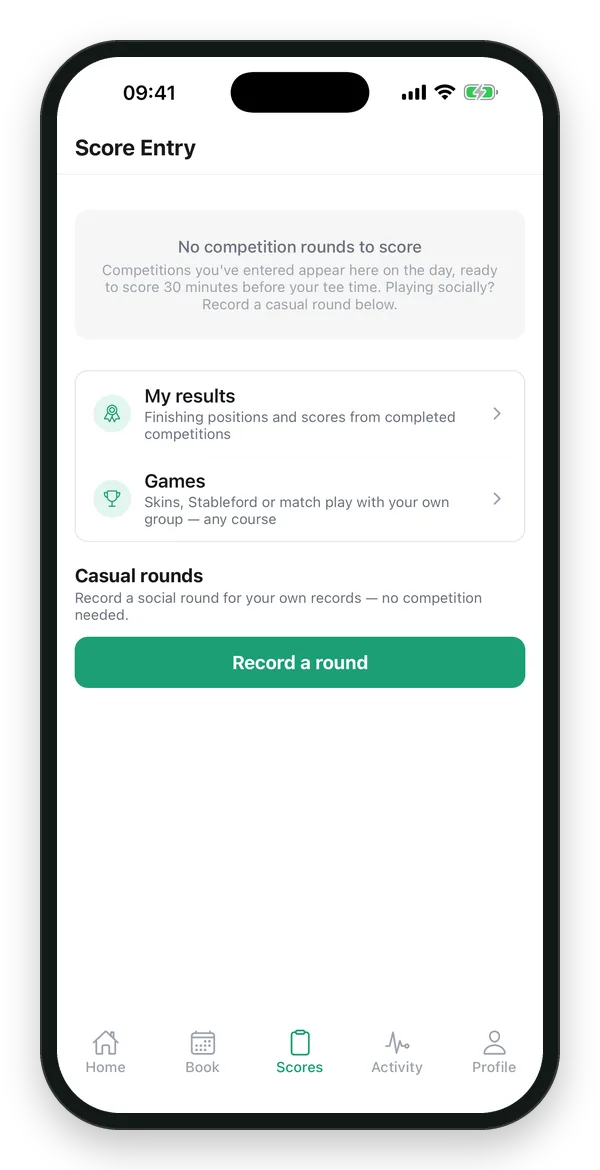
Screen capture from the app — Where games start in the member app: the Scores tab, with Games (skins, Stableford or match play with your own group, on any course) next to the member's competition results, and a casual round recorded from the same screen.
See it on a working demo club
A 30-minute walkthrough, set up the way your club runs. A written quote follows.
No barter · no trade tee times · no seat fees